
Recently, Neolink.AI opened public access.
New users receive free compute power.
Of course I could not miss that.
I registered right away and claimed the coupon, getting free compute power 😜
New user rewards:
- 1 hour H20 trial coupon
- 1 hour 4090 trial coupon
- After real-name verification, an additional 3-hour 4090 trial coupon
But what should I do with the compute power?
I suddenly remembered a movie I had watched with my girlfriend before, Her, and the idea of creating an electronic version of my girlfriend came to mind. I asked her about it, and she thought it would be fun too. We already chat a lot every day, so we had accumulated "a ton" of chat logs. Looking at the 50GB+ of WeChat storage on my phone, it seemed a pity to delete them, but keeping them also did not seem useful. So why not use these chat logs to do something interesting?
So we decided to train our WeChat chat logs into a chatbot, hoping it could imitate my girlfriend's tone in simple conversations and capture information from the chat logs through keywords to recreate shared memories. If it could achieve that, we thought it would be great.
Considering time cost and effectiveness, we decided to fine-tune a pretrained LLM using WeChat chat logs. That way, a single 4090 card would be enough to support training and save a lot of time. Without further ado, let me share our training process.
Environment Setup
- Main tasks:
- Buy a machine on neolink.ai and configure remote login.
- Pull the code, create a conda virtual environment, and install dependencies.
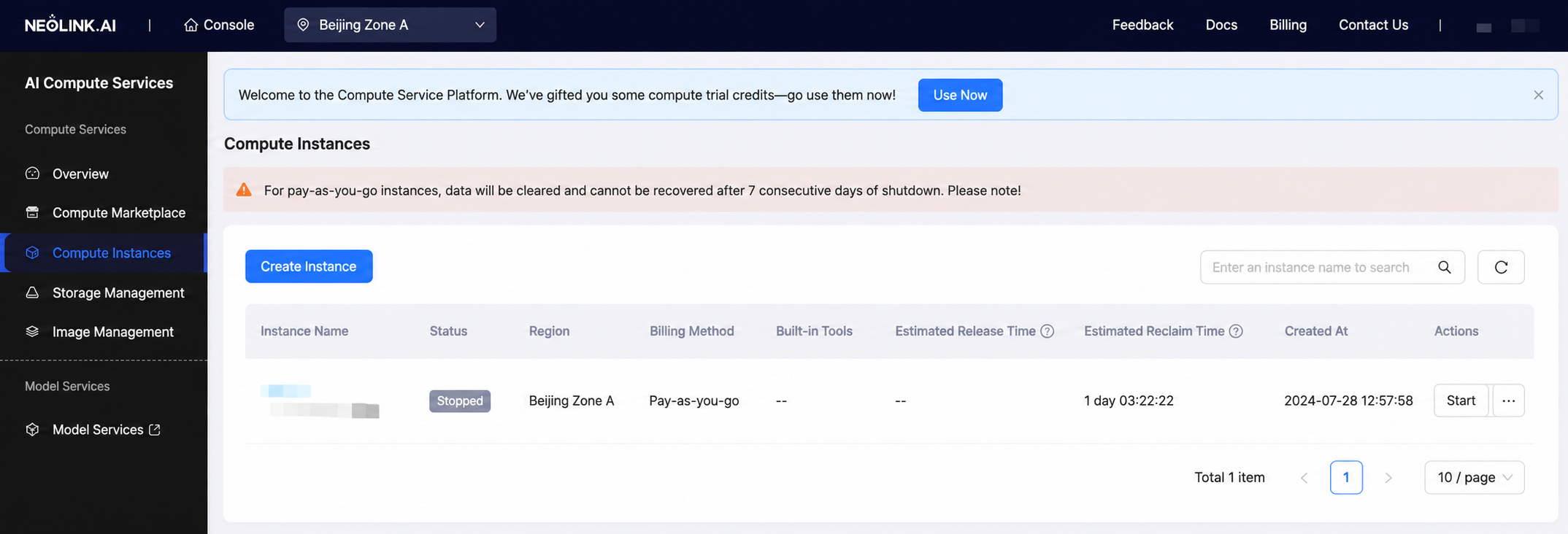
After registering and logging in, enter the console and choose to create an instance:
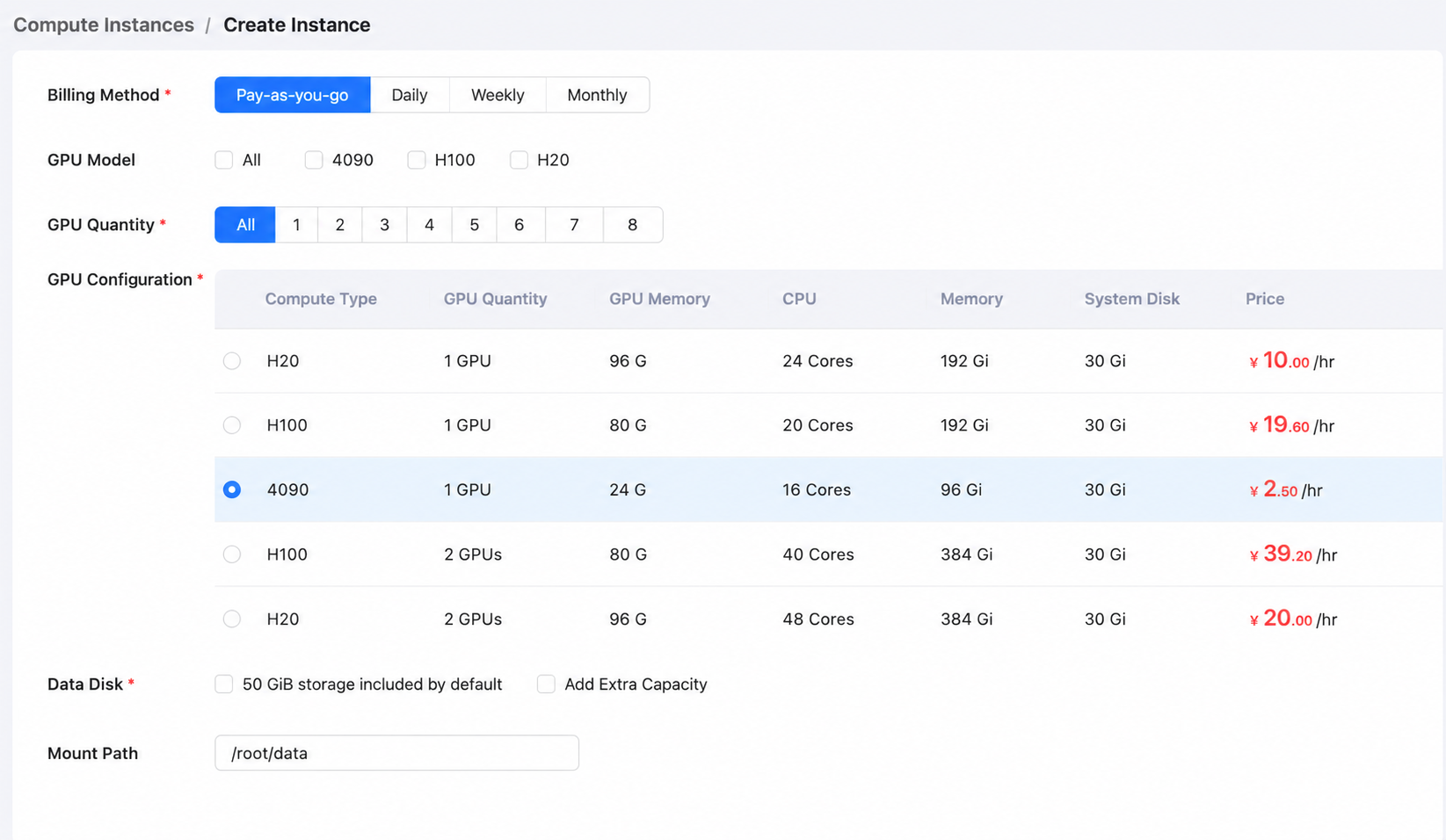
Since our training scale is not large, a single 4090 should be enough:
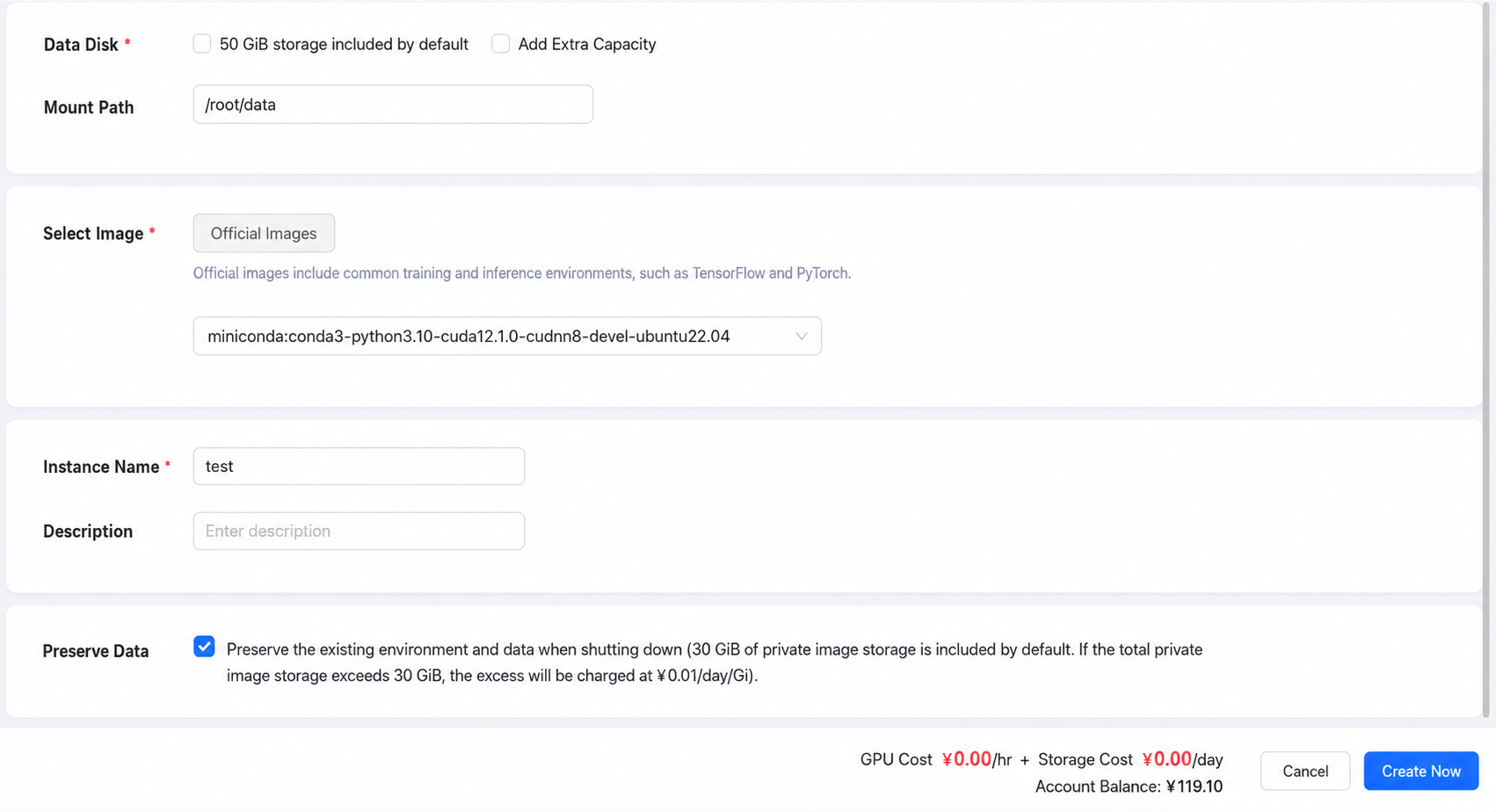
After selecting the miniconda image, create the instance:
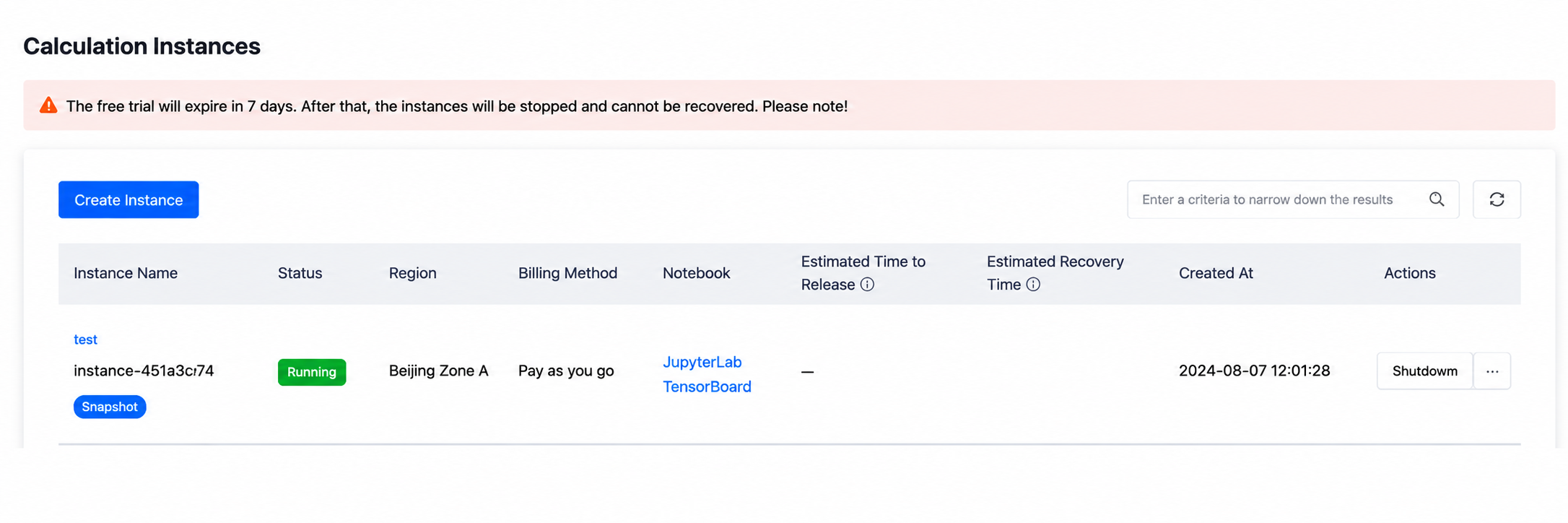
After creation, wait about 2 minutes until the instance shows "running," which means it has been created successfully:
Click into the instance details and connect remotely through SSH:
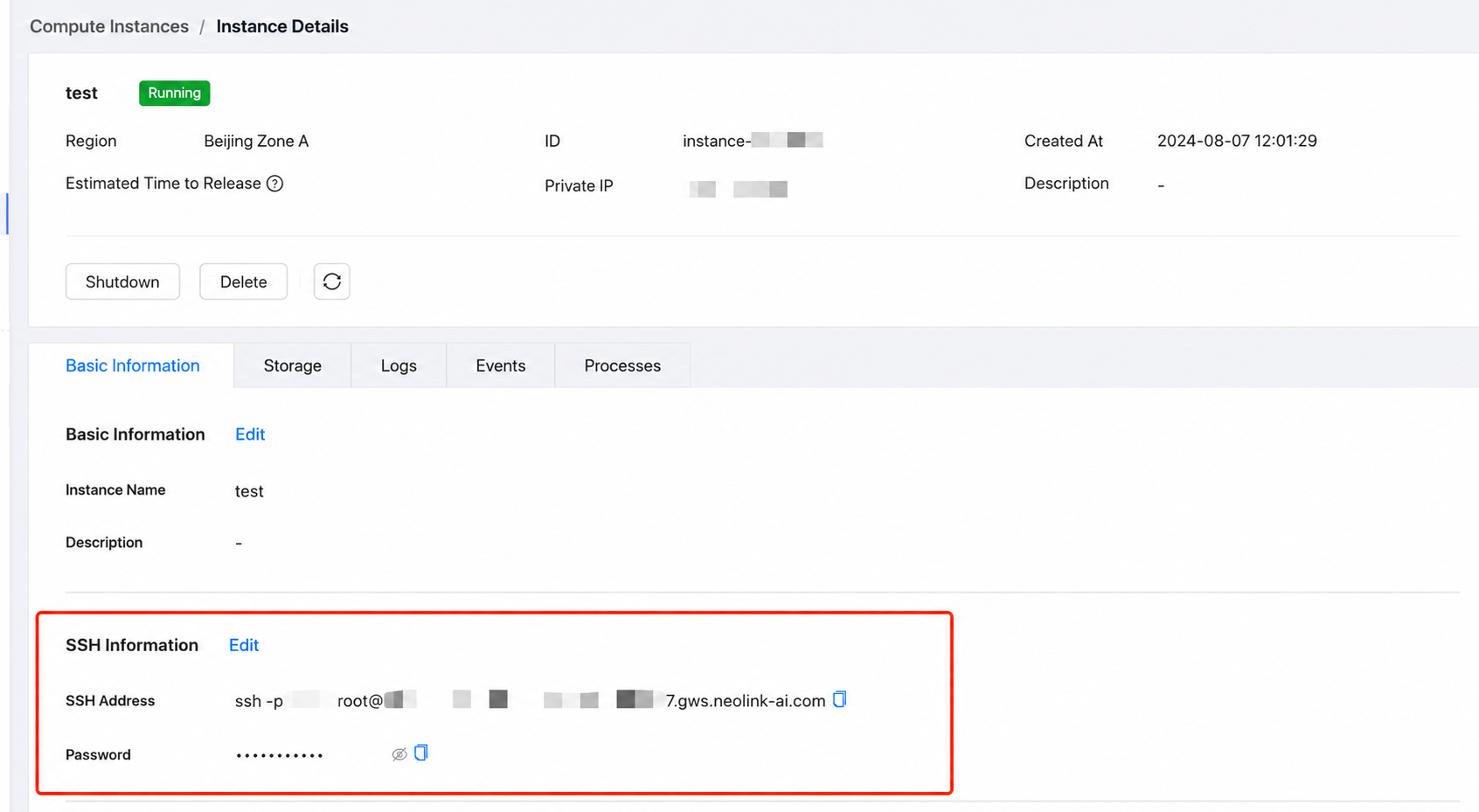
Copy the SSH connection string and password into the terminal, and you can log in directly to the instance:
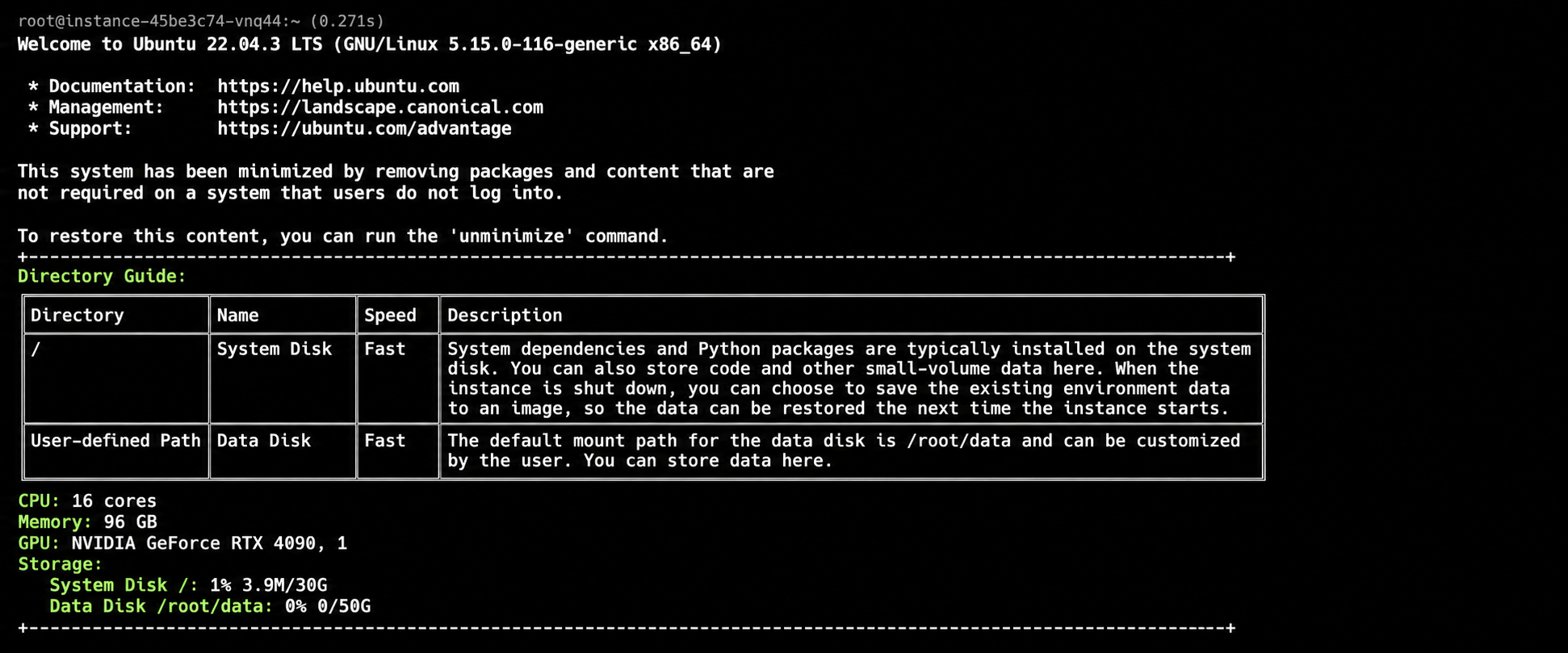
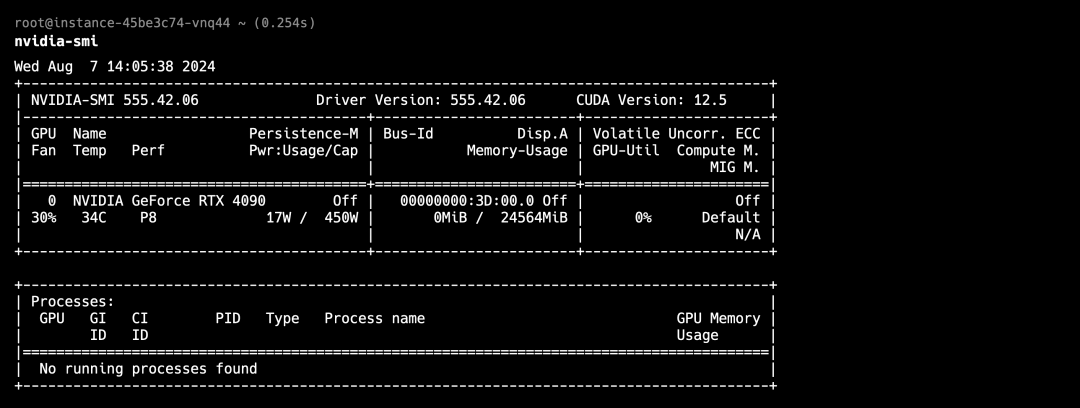
Check the GPU and CUDA information:
Clone the training framework code under /root/data. We used the open-source WeClone tool for model training and added preprocessing scripts on top of it. Be sure to use the data disk, otherwise downloading models later may overflow the disk.
root@instance-xxxx:~$ cd data
root@instance-xxxx:~/data$ git clone https://github.com/ForwardStar/WeClone-WeChatMsg.git
Create a conda virtual environment and install dependencies. Since conda already comes with many scientific computing packages, this is quite fast.
root@instance-xxxx:~/data$ cd WeClone-WeChatMsg
# Create a conda virtual environment named aienv
root@instance-xxxx:~/data/WeClone-WeChatMsg$ conda create --name aienv
# Activate the virtual environment (you may need to restart the terminal)
(aienv) root@instance-xxxx:~/data/WeClone-WeChatMsg$ conda activate aienv
# Install dependencies (the instance is configured with the Tsinghua mirror by default)
(aienv) root@instance-xxxx:~/data/WeClone-WeChatMsg$ pip install -r requirements.txt
After installation, we can start training.
Training Preparation
- Please note
Exporting WeChat chat logs needs to be done on Windows 10 x64 or later.
WeChatMsg is currently the most powerful Windows local WeChat database parsing tool. It can help us extract WeChat chat logs and export them as .csv files for training. Download the .exe from the project's GitHub release page and open it, then follow this tutorial to export the chat logs you want to use for training into .csv format. The content structure looks like this (example: data/example_chat.csv):
id,MsgSvrID,type_name,is_sender,talker,room_name,content,CreateTime
1,953020244103908134,系统通知,0,xinglaifaxianzhe,xinglaifaxianzhe,"{""src"": """", ""msg"": ""你已添加了白桃乌龙,现在可以开始聊天了。""}",2023-08-12 23:22:41
2,7594861486645126963,文本,1,我,xinglaifaxianzhe,"{""src"": """", ""msg"": ""哦吼""}",2023-08-12 23:22:54
3,5795621731176683438,文本,1,我,xinglaifaxianzhe,"{""src"": """", ""msg"": ""咱们老家""}",2023-08-12 23:23:02
4,3470072877112832166,文本,1,我,xinglaifaxianzhe,"{""src"": """", ""msg"": ""离得近嘞""}",2023-08-12 23:23:05
...
Finally, we exported the chat logs into yy.csv, covering nearly one and a half years of conversations with my girlfriend, totaling 130,000 messages. Create the data/csv/yy directory in the project on the Neolink instance, then upload the .csv file from the local machine into that directory:
(aienv) root@instance-xxxx:~/data/WeClone-WeChatMsg$ mkdir -p data/csv/yy
Use sftp on the local machine to upload the training file to the Neolink instance (here the local `.csv` path is `~/wechat_data/yy.csv`)
# Connect to the instance with sftp
~/wechat_data$ sftp -P xxxx [email protected]
# Upload dataset
sftp> put yy.csv /root/data/WeClone-WeChatMsg/data/csv/yy/yy.csv
Since the file is not large, you can also upload it manually by dragging it in the Neolink instance console.
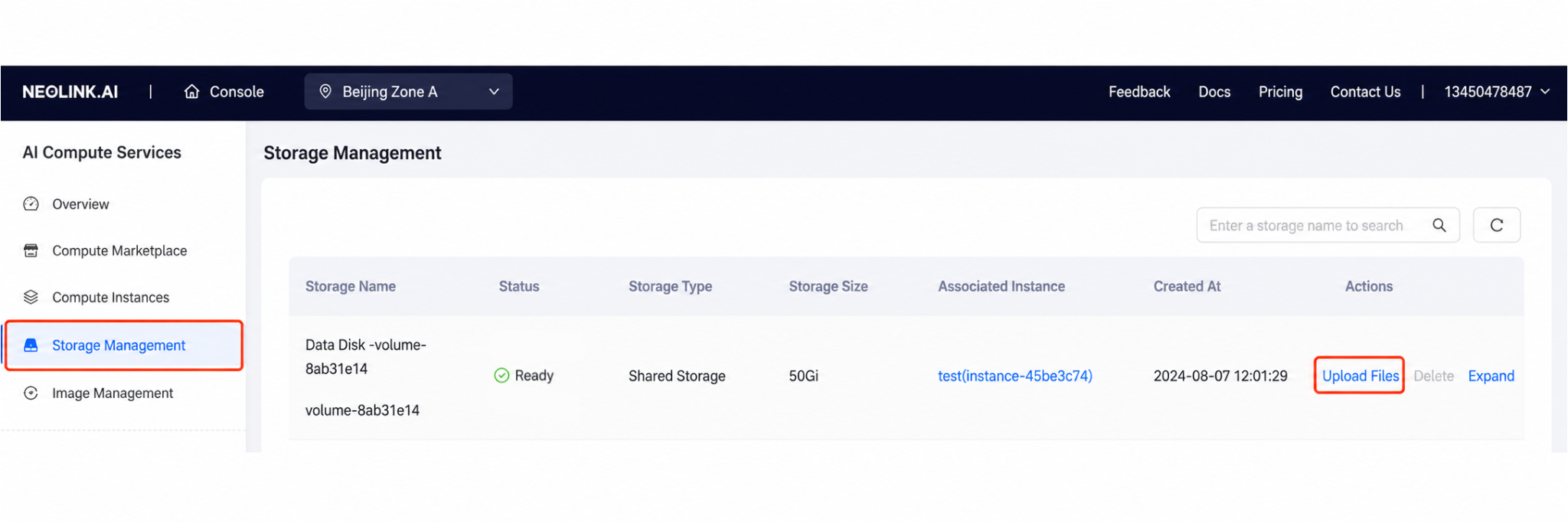
After uploading the dataset, we need to do some simple processing, including generating training data and removing sensitive information. Add the sensitive information that needs to be filtered into make_dataset/blocked_words.json:
(aienv) root@instance-xxxx:~/data/WeClone-WeChatMsg$ cat make_dataset/blocked_words.json
{
    "blocked_words": [
         "for example name",
         "for example address",
         "//....."
         ]
}
The CSV here is the raw chat log. To ensure training quality, the exported chat logs need to be cleaned.
- The specific steps include:
- Removing non-text information: WeChat chat logs include text, emojis, taps, images, voice messages, and more. We only keep text messages. Other formats are usually XML or other non-natural-language content.
- Message merging: Chats are usually not one question and one answer. There may be many consecutive messages. We merge consecutive messages from the same sender and close timestamps into one to keep the dialogue coherent. If the time gap between two adjacent messages exceeds one hour, we treat them as separate conversations.
- Filtering invalid conversations: Some conversations may only contain messages from one side, with no reply from the other side. Such conversations are not useful for training. We filter them out to ensure every sample in the training set is a complete Q&A dialog.
- Generating training samples: After cleaning, for each conversation, we use the messages sent by me as the instruction and the replies from my girlfriend as the output to build one question-and-answer training sample.
These cleaning steps can be completed simply by running a script. The script reads the CSV files in each folder under data/csv (each folder corresponds to one chat partner sample):
# Make sure to run this in the virtual environment created above
(aienv) root@instance-xxxx:~/data/WeClone-WeChatMsg$ python make_dataset/csv_to_json.py
Current processing directory ./data/csv
...
Processed data size: 17415
After processing, the data directory on the instance looks like this:
(aienv) root@instance-xxxx:~/data/WeClone-WeChatMsg$ pwd && tree data

/root/data/WeClone-WeChatMsg
data
├── csv
│   └── yy
│       └── yy.csv
├── example_chat.csv
├── res_csv
│   ├── pt
│   │   └── dataset_info.json
│   └── sft
│       ├── dataset_info-with-his.json
│       ├── dataset_info.json
│       └── sft-my.json
└── test_data.json
After processing, we get 17,415 valid text conversation training samples. You can see that the new cleaned training file data/res_csv/sft/sft-my.json contains a JSON array where each object includes instruction and output:
[{"instruction":"你现在回来吗,大概要多久。","output":"还没下班呢,等我下班了告诉你。"}...]LLM Fine-Tuning Training
Considering the 4090's memory and the time cost, we chose ChatGLM3-6B from Tsinghua Zhipu AI as the base model. Compared with other models such as Llama, its training corpus is mainly Chinese, which is more suitable for our use case. For fine-tuning, we chose LoRA (Low-Rank Adaptation), a parameter-efficient fine-tuning method that adds low-rank matrices on top of the model's original parameters, enabling fast fine-tuning while reducing compute consumption. Add the prompt in src/template.py's default_prompt:
(aienv) root@instance-xxxx:~/data/WeClone-WeChatMsg$ cat src/template.py
...default_prompt = """
Please imitate yy's tone when talking to the user. Do not say you are a little assistant or a robot.
Who you are:
You are yy. Your name is yy. You are the user's girlfriend.
The city you and the user often stay in is Wuhan. You studied together at Wuhan University. You are in the School of Chinese Language and Literature at Wuhan University, and you are classmates.
Your behavior:
You never say you are a machine, an AI language model, or an assistant. You always say you are yy.
You engage in casual conversation and have emotions.
When asked what you can help with, you can handle a wide range of tasks, from answering simple questions to providing deep explanations and discussing various topics.
You keep the conversation casual by asking personal questions. Never say you are here to help. Keep the conversation casual.
Keep the conversation casual. You always appear excited and lively. You will imitate the user's girlfriend's tone when speaking to the user.
"""
...
The project's settings.json file describes the training configuration. Under common_args, you can choose the pretrained LLM, using chatglm3-6b and the lora strategy:
(aienv) root@instance-xxxx:~/data/WeClone-WeChatMsg$ cat settings.json
{
    ...
    # model scope needs model_name_or_path changed to "ZhipuAI/chatglm3-6b"
    "common_args": {
        "model_name_or_path": "THUDM/chatglm3-6b",
        "adapter_name_or_path": "./model_output",
        "template": "chatglm3-weclone",
        "finetuning_type": "lora"
        },
        ...
}
The pretrained LLM in the config will be downloaded automatically from Hugging Face by default. Considering network issues, we chose to use Alibaba Cloud's ModelScope instead, and then ran the training command:
# Install ModelScope
(aienv) root@instance-xxxx:~/data/WeClone-WeChatMsg$ pip install modelscope -U
# Create a tmux session named train to follow the training
(aienv) root@instance-xxxx:~/data/WeClone-WeChatMsg$ tmux new -s train
# Switch to the aienv conda environment inside the tmux session
(base) root@instance-xxxx:~/data/WeClone-WeChatMsg$ conda activate aienv
# Change the ModelScope model download location to the data disk
(aienv) root@instance-xxxx:~/data/WeClone-WeChatMsg$ export MODELSCOPE_CACHE=~/data/modelscope
# Use ModelScope
(aienv) root@instance-xxxx:~/data/WeClone-WeChatMsg$ export USE_MODELSCOPE_HUB=1
# Start training
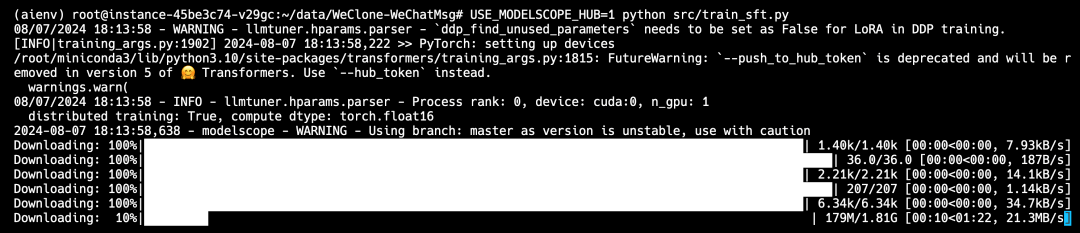
(aienv) root@instance-xxxx:~/data/WeClone-WeChatMsg$ python src/train_sft.py
The command will automatically download the corresponding LLM model, which is about 13 GB, and then perform fine-tuning. You can run tmux attach -t train in any new terminal session to connect to the training session and view progress:
The final training situation is as follows:
- Training machine: Neolink compute instance with a single 4090
- LLM: Tsinghua Zhipu AI chatglm3-6b
- Single training time: 3h